

Customer support automation with AI should not start with a “smart agent that replaces everyone.” What works is a gradual path through three levels: an FAQ bot with ready-made answers, an AI assistant that answers from your knowledge base, and ticket automation with classification and draft replies. Below you’ll find a request-handling flow, seven steps with a check after each, handoff rules and metrics. The material is current for 2026; platform interfaces and pricing change, so check them in the official documentation.
Key takeaways
- Roll out automation in three levels: a rule-based FAQ bot, an AI assistant with a knowledge base (RAG), and automated ticket handling.
- The bot should answer only from the knowledge base and, when there is no answer or a sign of trouble, quickly hand the conversation to a human with full context.
- Before launch, build a test set of real questions; after launch, review a sample of conversations every week along with FCR, CSAT, AHT and the share of automated requests.
- Tell customers they are talking to AI, minimize personal data and plan ahead for outages.
Contents
- Customer support automation with AI: three implementation levels
- Request-handling flow: from message to closed ticket
- Step-by-step rollout: 7 steps and what to check
- When to hand the conversation to a human
- Quality metrics: what to measure and how to check
- Risks: wrong answers, personal data and resilience
- Where to start this week
Customer support automation with AI: three implementation levels
Each level solves its own problem and has its own limit. Move to the next one only when the previous one runs reliably and you can see its limits in the numbers.

| Level | What it does | Limit |
|---|---|---|
| 1. Rule-based FAQ bot | Shows buttons, reacts to keywords, follows a script: “Where is my order?”, “Delivery terms”. The answers are written by people. | Doesn’t make things up, but doesn’t understand unusual phrasing, typos or mixed-language slang. Scripts must be maintained by hand. |
| 2. AI assistant with a knowledge base (RAG) | An LLM finds the relevant passages in your knowledge base and builds a free-text answer from them. | Quality depends on the knowledge base. If it is empty or outdated, wrong answers appear. |
| 3. Ticket automation | Creates a ticket, detects the topic, language and priority, writes a conversation summary and a draft reply, and routes it to the right agent. | Needs integration with a helpdesk or CRM and clear access rights. Actions like changing an order are better left to a person. |
The difference between levels 1 and 2 is fundamental. A rule-based bot picks from a ready-made list, while an LLM composes the answer itself, so it can be smooth but wrong. That is why level 2 is always built on RAG: the model receives passages from your knowledge base and may answer only from them.
How to choose a starting level. If questions are few and repetitive (delivery, payment, opening hours), level 1 is enough. If the knowledge base is large and customers phrase things in many ways, you need level 2. Tickets make sense when several people handle support and there is a queue. For technical options for a website, see the article on an AI chatbot for a WordPress site.
Request-handling flow: from message to closed ticket
A single flow for all channels (website, Telegram, Viber, Instagram) helps you avoid losing requests. Here is the route to build into your settings:
- Intake. The message arrives in a channel and lands in a unified inbox (omnichannel).
- Preparation. Detect the language and identify the customer by phone number, email or order ID.
- Intent. Classify the topic: order status, return, payment, product question, complaint.
- Decision. Answer on its own, ask a clarifying question or hand off to a person.
- Reply. The bot answers only from knowledge base passages and cites the source when needed.
- Ticket. For complex cases, a ticket is created with a conversation summary, topic and priority.
- Closing. The customer rates the answer, and the data goes into metrics and audit.
At the ticket stage, the model returns structured data that the helpdesk or CRM can understand without a human. Example format:
|
1 2 3 4 5 6 7 8 |
{ "topic": "delivery", "priority": "high", "language": "uk", "summary": "Клієнт чекає посилку 6 днів, трекінг не оновлюється", "needs_human": true, "suggested_reply": "Перепрошуємо за затримку. Перевіряємо статус із перевізником..." } |
Don’t rely on the model’s “confidence” as the only criterion: an LLM often writes correct and wrong answers with equal confidence. It is more reliable to combine several signals: whether a source was found in the knowledge base, whether the conversation contains words about money or a complaint, and how many times the customer repeated the question.
On channels: Telegram and Viber have official bot APIs, while Instagram is usually connected through an intermediary platform. Check which channels your chosen system supports (Zendesk, Intercom, Freshdesk, Kommo, Chatfuel and others) and whether your pricing plan fits, because the set of channels and features differs between plans. Another key point is CRM integration; there is a separate article on the rules for implementing one, CRM for an online store.
Step-by-step rollout: 7 steps and what to check
Below is a working sequence. Each step has a check and a typical mistake, so you don’t build on a faulty foundation.
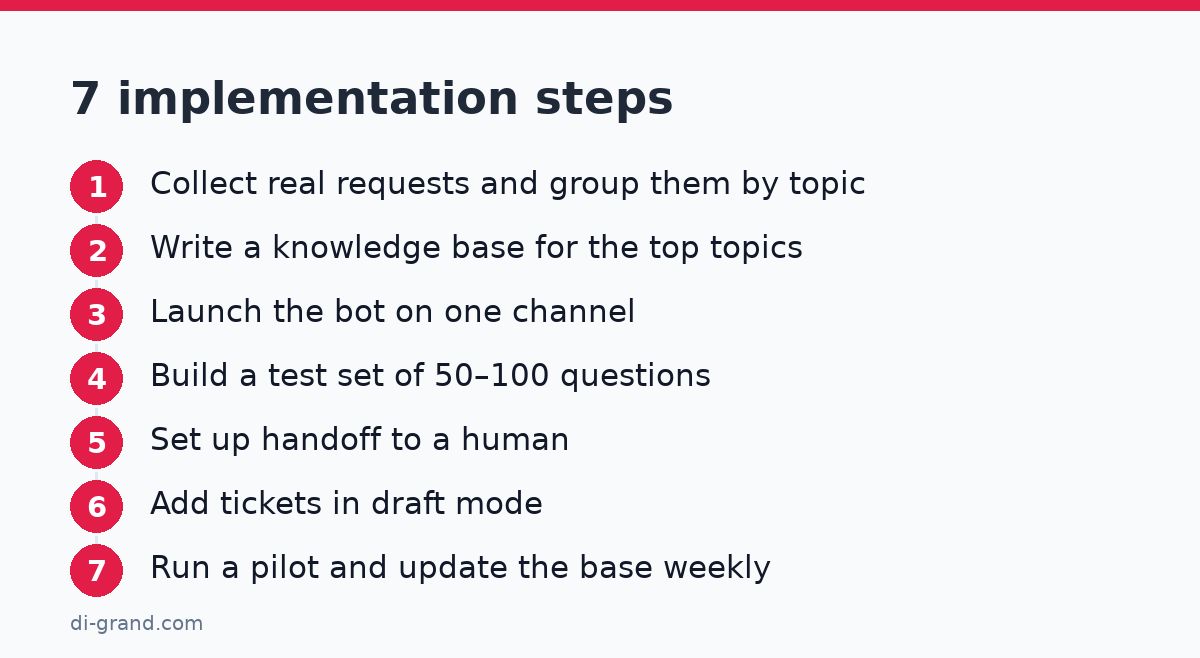
- Collect real requests. Export conversations from the last 2–3 months from email, messengers and forms. Group them by topic and count how many requests fall into each. Check: which 10 topics are the most frequent and what share they cover; this is your automation potential. Mistake: compiling a list of questions off the top of your head instead of using real data.
- Write the knowledge base. One topic, one short document: delivery terms, return rules, payment, warranty. Add an update date and an owner. If your materials live in Google Drive or Slack, you can connect them to Claude via MCP; see MCP Claude: Google Drive and Slack. Check: every top question has a clear text answer in the knowledge base. Mistake: uploading an 80-page PDF catalog with no structure and hoping the model is “smart enough.”
- Launch level 1 on one channel. Start with the website, where results are easiest to control. Give the bot strict rules (example below). Check: the bot answers in Ukrainian, doesn’t invent details and doesn’t over-promise. Mistake: connecting all channels at once and being unable to find the source of problems.
- Build a test set. Take 50–100 real questions with reference answers. Add colloquial phrasing, mixed-language slang, typos, questions outside the knowledge base and provocative requests. Check: on questions outside the knowledge base, the bot declines instead of making something up. Mistake: testing only “convenient” questions written by the bot’s author.
- Set up handoff to a human. Define escalation conditions (next section) and the format for passing context. Check: the agent sees the conversation summary and doesn’t ask the customer to repeat anything. Mistake: handoff works only during business hours, and at night the customer hits a dead end.
- Add ticket automation. First in “draft” mode: AI suggests the topic, priority and reply text, and the agent approves. Check: in a sample of tickets, the topic and priority match the human’s decision. Mistake: immediately letting AI close tickets and change orders.
- Run a pilot and set up an improvement loop. Route part of the traffic, review the conversations every week where the bot made a mistake or handed off, and expand the knowledge base. Check: after every edit, rerun the test set. Mistake: launching and forgetting: the knowledge base goes stale along with prices and terms.
An example system instruction for level 2. Adapt it to your business:
|
1 2 3 4 5 6 7 8 |
Ти — асистент підтримки інтернет-магазину. Відповідай українською, коротко й ввічливо. Правила: 1. Відповідай лише на основі наданих фрагментів бази знань. 2. Якщо відповіді у фрагментах немає, скажи, що уточниш у колеги, і передай розмову оператору. 3. Не обіцяй знижки, терміни, повернення коштів і винятки з правил. 4. Ніколи не проси номер картки, CVV і паролі. 5. Якщо клієнт просить людину або незадоволений, передай розмову оператору. 6. Наприкінці вкажи назву статті бази знань, на яку спирався. |
One channel and the 10 most frequent topics are enough to start. It’s better for the bot to handle a narrow set of questions flawlessly than to answer everything half-well.
You can choose among different models. A comparison for Ukrainian businesses is in the article Claude or ChatGPT, and connecting the Claude API to a website is covered in the article on Claude API integration with WordPress. Whichever model you choose, test it on your own Ukrainian-language requests, including mixed-language slang and typos, rather than on generic demos.
When to hand the conversation to a human
The rule is simple: the bot must know the limits of its competence and not keep a customer in a conversation where it can’t help. Hand the conversation to an agent when at least one of the situations below arises.
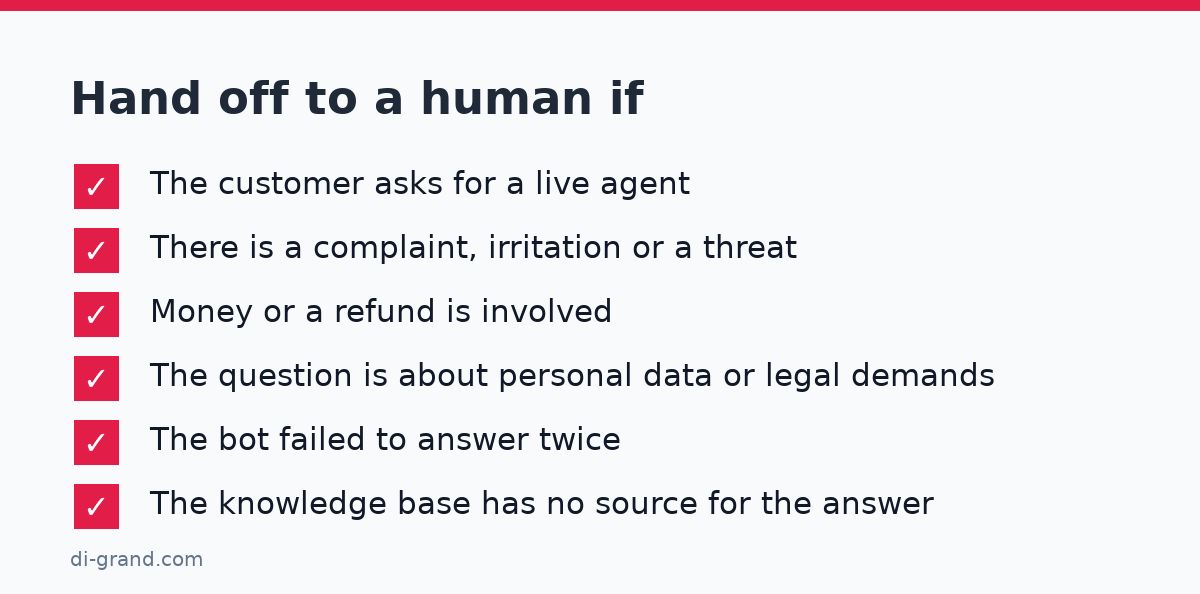
- The customer directly asks for a live person.
- The message shows irritation, a complaint, a threat of a bad review or of contacting lawyers.
- Money is involved: refunds, double charges, a failed payment.
- The question concerns personal data, its deletion or legal demands.
- The customer has repeated the question twice, or the bot has twice asked for clarification without result.
- The knowledge base has no answer or no source was found.
- A non-standard order, a B2B request, or a situation involving safety or health.
How the handoff happens matters just as much. The agent should immediately receive the conversation summary, the customer’s details, the order number and what the bot has already suggested. The customer should be told honestly that they are being transferred to a colleague, along with a realistic response time. If nobody is working, create a ticket and say when to expect a reply.
The most common mistake at levels 1 and 2 is a bot with no way out to a human. The customer goes around in circles through buttons, gets irritated, and you get negative reviews. A “Call an agent” button or phrase must work at every stage of the conversation.
Quality metrics: what to measure and how to check
A single figure like “the bot answered N messages” proves nothing. Look at a set of metrics that together show both savings and quality.
| Metric | What it shows | Pitfall |
|---|---|---|
| FCR (First Contact Resolution) | Share of requests resolved on first contact with no repeat inquiries | A customer may not come back because they gave up, not because the problem was solved |
| CSAT | Customer satisfaction rating after the conversation | Not everyone leaves a rating, so the sample is biased; compare bot conversations and agent conversations separately |
| AHT (Average Handling Time) | Average time an agent spends handling a request | Should fall thanks to summaries and drafts, not because of rushing |
| Share of automated requests | How many conversations the bot closed without a human | Growth without growth in CSAT and FCR means the bot is simply stalling customers |
| Share of handoffs to a human | How many conversations went to an agent and on which topics | A share that is too small is suspicious: the bot may be answering where it shouldn’t |
| Share of wrong answers | How many answers in the sample are incorrect or invented | Counted only through manual audit; you can’t see it automatically |
| First response time / SLA | Whether you meet the promised deadlines | A fast but wrong answer is worse than a slightly slower correct one |
Before launch, record baseline values so you have something to compare against: your current FCR, CSAT, AHT and first response time. Set threshold figures for your business yourself, based on those baselines; there are no universal “correct” numbers.
Build the evaluation process in from the start. Every week, take a random sample of conversations (30–50 to begin with) and mark each one: correct, partly correct, wrong, handoff was needed. Separately, review all conversations with a low CSAT score. Run any change to the prompt, knowledge base or model through the test set first, otherwise a new edit can easily break what was working.
Risks: wrong answers, personal data and resilience
Hallucinations and how to contain them
An LLM can confidently write something that isn’t in your rules: an invented return period, discount or warranty. Four things reduce the risk: RAG with a quality knowledge base, a direct ban on answering without a source, answers that link to a knowledge base article, and a restriction against promising terms, exceptions or compensation. Anything involving money and commitments is better handed to a person. Errors can’t be ruled out entirely, which is why conversation audits are necessary.
Personal data and the law
Collect the minimum of data: an order number and a contact are enough, and the bot doesn’t need cards, passwords or documents. If you serve customers in the EU, GDPR applies, and the EU AI Act, in Article 50, requires informing users that they are interacting with an AI system unless this is obvious from the context. The requirements are set out in the text of Article 50 of the AI Act. For Ukrainian customers, take into account the Law “On Personal Data Protection.” The simplest approach is a frank first line from the bot: “I’m an AI assistant; I’ll call an agent if needed.” Also check your provider’s terms for where data is stored and whether it is used to train models; for complex cases, consult a lawyer.
Operating during outages
In Ukraine, support has to survive unstable power and connectivity. Use cloud solutions instead of a single local server, keep a backup channel (for example, Telegram if the website is unavailable) and an automatic delay notice. Tickets must not be lost: the queue is stored in the system and processed when an agent comes back online.
How much it costs
It’s impossible to name a specific figure without your inputs, because the cost has several parts: a platform subscription (often depending on the number of agents or resolved requests), payment for model usage by message volume, integrations with CRM and channels, and knowledge base setup. Calculate everything in hryvnias, including VAT if you are a VAT payer and the tax specifics of a sole proprietorship (FOP) or a limited liability company (TOV), and then compare it with the cost of agents’ working time on typical requests. A pilot on one channel gives you real numbers faster than any calculator.
Where to start this week
Export your recent requests, pick the 10 most frequent topics and write answers for them in the knowledge base. Launch level 1 or 2 on the website, build a test set of 50–100 questions and add a handoff-to-human button. After two or three weeks, look at FCR, CSAT and the handoff share, and only then expand to tickets and other channels. AI removes routine and speeds up replies here, while complex cases and responsibility stay with people.
If you want the DiGrand team to help set up an AI assistant for your website, a CRM integration or ticket automation, book an AI implementation consultation: we’ll go through your requests and suggest a realistic starting level.
FAQ
Will AI replace support agents?
Not completely. AI handles repetitive questions well and writes summaries and draft replies, but complex, emotional and financial cases need a person. A realistic goal is to free agents from routine so they can focus on difficult requests.
How is an FAQ bot different from an LLM-based AI agent?
An FAQ bot works from pre-written scripts and buttons, so it doesn't make things up, but it also doesn't understand unusual phrasing. An LLM agent understands free text and composes the answer itself, so it must be restricted to the knowledge base (RAG) and checked for wrong answers.
Do bots understand Ukrainian and mixed-language slang?
Modern LLMs usually handle Ukrainian, but quality depends on the model and the topic. Don't rely on generic demos: test your chosen option on your own test set, which should include mixed-language slang, typos, abbreviations and colloquial phrasing.
How can I reduce the risk of hallucinations?
Use RAG: the bot answers only from passages in your knowledge base. Add a ban on making things up, a requirement to cite the source, limits on promises about money and deadlines, and a regular audit of a sample of conversations.
Do I need to tell customers they are talking to a bot?
For EU customers, Article 50 of the AI Act requires informing them about interaction with an AI system unless it is obvious from the context. It is good practice for Ukrainian customers too: one honest line at the start of the conversation reduces irritation when the bot can't help.
Leave a Reply