

The best Claude prompts for marketing and sales share the same structure: a role, context, data in separate tags, a clear task and an output format. Below are 15 ready-made templates for marketing, sales and customer support. Each has fill-in fields, an illustrative sample output, a common mistake, who it is for and its main limitation. Copy a template, replace the [fields in square brackets] with your own data and check the response.
Key takeaways
- A good Claude prompt has a role, context, data in tags, a clear task and an output format.
- Each of the 15 templates has [fields in square brackets] to replace with your own data, otherwise the output will be generic.
- For brand voice, give Claude 3–5 of your own examples and save them in Projects so you don't paste them every time.
- In customer support, set firm limits: answer only from the document provided and never promise compensation.
- Check numbers, facts and personal data, and anonymize them before sending anything to the chat.
Contents
How to Build a Claude Prompt: Four Rules
Claude handles many languages well, so you can write prompts in the language your audience uses without translating them. The main thing is to write as if you were briefing a new employee who knows nothing about your business. This is what Anthropic recommends: give context, the purpose of the task and format requirements.
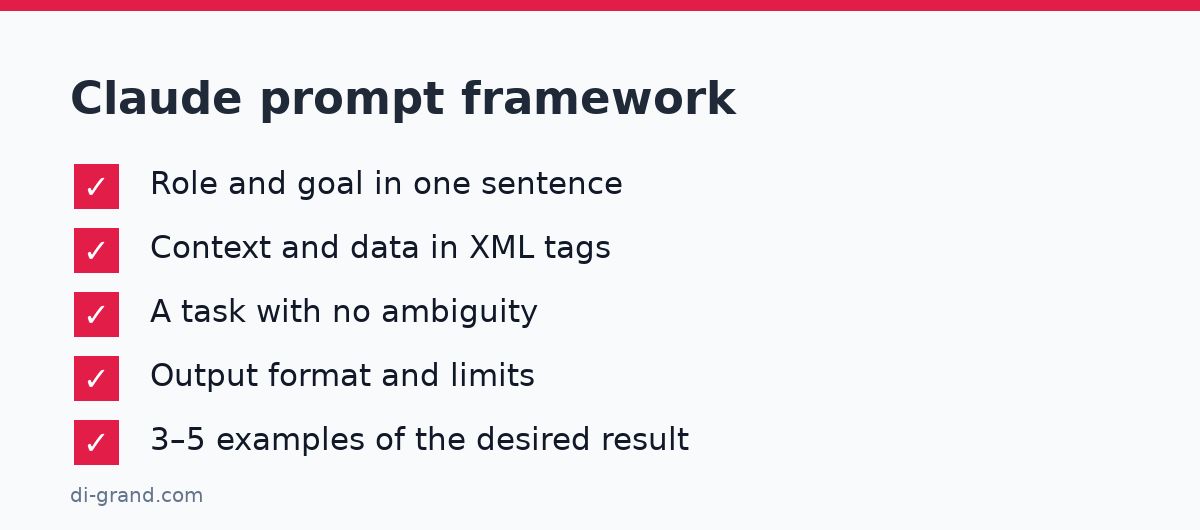
All the templates below are built on four rules:
- Role and goal. One sentence: who Claude is in this task and what the result is for.
- Data in tags. Anthropic recommends XML tags such as
<document>or<example>so the model doesn’t confuse instructions with input text. - Output format. A table, a list, a word or character limit. Without it you’ll get an essay.
- Examples. If style matters, add 3–5 different samples: the multishot approach improves accuracy and format compliance.
Set the form of address up front: “write in a friendly but formal register, no corporate jargon, and avoid words like ‘unique’ and ‘innovative’.” That saves you several rounds of edits. It’s handy to store permanent brand rules in Claude Projects, so you don’t have to paste them every time.
Claude Prompts for Marketing: Templates 1–6
The sample outputs below are illustrative: they use a made-up online store selling coffee accessories. Your results will depend on the data you plug in.
1. Ideal customer profile (ICP)
|
1 2 3 4 5 6 7 |
Ви — директор з маркетингу в ніші [ніша]. Складіть профіль ідеального клієнта для продукту [продукт], який продається через [сайт / Instagram / Prom]. <data> [поточні клієнти, середній чек у грн, 5 відгуків] </data> Формат: таблиця «Сегмент | Біль | Тригер купівлі | Заперечення | Де його знайти». Максимум 3 сегменти. Твердження, яких немає в даних, позначайте словом ПРИПУЩЕННЯ. |
- Who it’s for and why: small business owners who haven’t yet formalized their audience; the ASSUMPTION label separates facts from hypotheses.
- Sample output: “Segment 1: owners of coffee shops with up to three locations. Pain: inconsistent bean quality. Objection: ‘we already have a supplier’. ASSUMPTION: they buy with prepayment.”
- Common mistake: not providing real data. Claude then describes an averaged portrait that fits anyone.
- Limitation: it’s a hypothesis, not research; check it by talking to customers.
2. Value proposition (USP)
|
1 2 3 4 |
Ви — копірайтер для малого бізнесу. Продукт: [назва]. Реальні переваги: [1], [2], [3]. Конкуренти: [список]. Клієнт: [опис]. Запропонуйте 5 формулювань пропозиції цінності до 12 слів, кожне під іншим кутом: ціна, швидкість, гарантія, досвід, сервіс. Використовуйте лише переваги зі списку. |
- Who it’s for and why: landing pages and page descriptions where you need to quickly run through different angles.
- Sample output: “We ship with Nova Poshta on the day you order — before 3 p.m.”
- Common mistake: asking for “a cool slogan” without a list of benefits; you get empty clichés.
- Limitation: if you don’t restrict the list, Claude may attribute promises your business doesn’t keep.
3. Monthly content plan
|
1 2 3 4 |
Ви — контент-маркетолог. Канали: [Instagram, Telegram, блог]. Частота: [N дописів на тиждень]. Ресурс: [хто й скільки годин робить]. Продукт і аудиторія: [опис]. Заборонені теми: [список]. Складіть план на 4 тижні таблицею: «Дата | Канал | Рубрика | Тема | Дія для читача». |
- Who it’s for and why: solo marketers; limiting resources makes the plan achievable.
- Sample output: “Week 1, Tuesday, Telegram, series ‘Mistakes’: 3 mistakes when grinding coffee at home.”
- Common mistake: leaving out frequency and resources; you’ll get a plan for 30 posts that nobody will carry out.
- Limitation: the ideas aren’t backed by your own statistics; compare them with what already works in your channels.
4. SEO article outline
|
1 2 3 4 5 6 |
Ви — SEO-редактор. Головний запит: [запит]. Інтент: [інформаційний / комерційний]. Аудиторія: [опис]. <competitors> [заголовки H2 3 статей із топу, вставлені вами] </competitors> Запропонуйте H1, 5–7 H2, 5 питань для FAQ і 3 теми, яких немає у конкурентів. Тексту не пишіть. |
- Who it’s for and why: people who write for their own blog; splitting the work into “outline → sections” follows the idea of prompt chaining.
- Sample output: “H1: How to choose a coffee grinder for home. H2: Burr vs. blade; Which burrs last longer…”
- Common mistake: asking for a full 3,000-word article right away. It’s better to write section by section.
- Limitation: Claude can’t see Google results, so you paste in the competitors yourself.
5. Ad copy (Meta, Google Ads)
|
1 2 3 4 |
Ви — спеціаліст з контекстної реклами. Продукт: [назва], оффер: [знижка / безкоштовна доставка до дати], аудиторія: [опис]. Напишіть 8 заголовків до 30 символів і 4 описи до 90 символів для Google Ads, а також 3 варіанти первинного тексту для Meta до 125 символів. Без клікбейту й обіцянок, яких немає в оффері. |
- Who it’s for and why: quickly creating variants for A/B tests.
- Sample output: “Coffee grinders on sale” · “Same-day delivery.”
- Common mistake: not checking length. Claude can miscount characters, so use a character counter.
- Limitation: the variants are similar to one another unless you specify different angles.
6. Newsletter in your brand voice
|
1 2 3 4 5 6 |
Ви — редактор email-розсилок бренду [назва]. <examples> [3–5 ваших найкращих листів] </examples> Напишіть лист у тому самому стилі: тема, прехедер, текст до 120 слів, одна кнопка. Привід: [акція / новинка]. Оффер: [умови]. Звертання на «ви». |
- Who it’s for and why: brands with a recognizable voice; examples work better than describing the style in words.
- Sample output: “Subject: New Ethiopian beans are in stock. Preheader: The first batch is 40 kg.”
- Common mistake: giving just one sample; Claude copies its structure almost word for word.
- Limitation: you need a selection of good emails; without Projects you have to paste them in every time.
Sales Prompts: Templates 7–11
In sales, what matters isn’t the word “Claude” but what you feed into it. Real facts about the customer give you personalization, while invented ones will be added by Claude on its own, and that hurts your reputation.

7. Cold email
|
1 2 3 4 |
Ви — менеджер з продажів у [компанія]. Адресат: [посада] у [компанія клієнта]. Перевірений факт про нього: [факт]. Пропозиція: [що саме] для [результат]. Дія: [15-хвилинний дзвінок]. Напишіть лист до 90 слів. Без «сподіваюся, лист застав вас». Звертання на «ви». Не вигадуйте фактів про адресата. |
- Who it’s for and why: B2B sales reps; a hard word limit keeps the email short.
- Sample output: “Hello Olena. I saw that you opened a third location in Lviv. We help coffee shops keep their flavor consistent by…”
- Common mistake: providing only a name; you get a template that’s obvious from the first line.
- Limitation: personalization rests on your facts; before a mass mailing, check the rules on recipient consent.
8. Follow-up series
|
1 2 3 |
Ви — менеджер з продажів. <first_email>[ваш перший лист]</first_email> Напишіть 3 follow-up листи для відправки через [3, 7, 14] днів. Кожен має нову причину відповісти: кейс, питання, коротка пропозиція. Заборонено «просто нагадую». До 60 слів. |
- Who it’s for and why: people who lose customers at the “we’ll think about it” stage; each email carries new value.
- Sample output: “I’m attaching a short guide on calculating bean costs per location. If it’s useful, I’ll show you the calculation for your business.”
- Common mistake: asking to “remind them about us”; Claude will do exactly that.
- Limitation: the case studies and numbers in the emails must be yours, not invented by the model.
9. Responses to objections
|
1 2 3 4 |
Ви — досвідчений керівник відділу продажів. Продукт: [назва], ціна: [грн], реальні умови: [знижки, гарантія, відстрочка]. Заперечення: [«дорого» / «подумаємо» / «вже маємо постачальника»]. Дайте 3 варіанти відповіді (по 2–3 речення) і одне уточнювальне питання. Використовуйте лише наведені умови. |
- Who it’s for and why: team training; Claude quickly shows different approaches.
- Sample output: “I understand. Are you comparing the price per kilo or per cup? I can show you how to work it out.”
- Common mistake: asking to “convince the customer.” The responses turn into pressure.
- Limitation: it sounds smooth, but it doesn’t know your actual discounts unless you state them.
10. Call prep and transcript analysis
|
1 2 3 4 5 |
<transcript> [текст розмови без прізвищ і телефонів] </transcript> Ви — аналітик відділу продажів. Витягніть: 1) потреби клієнта, 2) заперечення, 3) домовленості, 4) ризики, 5) наступний крок із датою. Якщо чогось у тексті немає, пишіть «не згадано». |
- Who it’s for and why: managers who don’t have time to listen to recordings; the long document goes at the start and the question at the end, as the long-context documentation advises.
- Sample output: “Agreement: send the commercial proposal by Thursday. Risk: the budget hasn’t been approved.”
- Common mistake: giving the instruction first and the long text after.
- Limitation: errors in automatic transcription carry over into the conclusions.
11. Lead scoring
|
1 2 3 |
Критерії: [бюджет від N грн, термін купівлі до 30 днів, є рішення в компанії]. <lead>[опис ліда з форми або CRM]</lead> Спершу проаналізуйте за критеріями в тегах <thinking>, потім у <answer> дайте оцінку 1–5 і одне речення обґрунтування. |
- Who it’s for and why: quick manual review of incoming requests; step-by-step reasoning improves the quality of complex assessments.
- Sample output: “Score 4. Budget matches, timeline is 2 weeks, but the decision is made by the director.”
- Common mistake: treating the score as final; it’s a hint for the manager.
- Limitation: scores can differ between runs, so they don’t replace scoring in your CRM.
Customer Support Prompts: Templates 12–15
Support is where a Claude error costs more than in marketing: the customer reads the reply immediately. That’s why every template below includes limits: answer only from your documents and pass complex cases to a person.
Don’t promise customers anything a person hasn’t verified. If you don’t set limits on compensation and returns, Claude may offer a discount or refund you don’t actually have.
12. Reply to a complaint
|
1 2 3 4 5 |
Ви — спеціаліст підтримки магазину [назва]. Тон: спокійний, без виправдань, на «ви». <complaint>[текст скарги]</complaint> <policy>[ваша політика повернення й обміну]</policy> Можемо запропонувати лише: [обмін / повернення коштів / знижка N%]. Напишіть відповідь до 100 слів: визнайте проблему, поясніть крок, назвіть строк. |
- Who it’s for and why: small teams without a dedicated support department; the draft takes the emotional edge off.
- Sample output: “Thank you for letting us know. I understand that waiting longer than promised is frustrating. We can offer an exchange or a refund, whichever suits you better.”
- Common mistake: not spelling out exactly what can be offered.
- Limitation: without your review, the reply may miss a nuance of the specific order.
13. Answers from a knowledge base
|
1 2 3 4 5 6 |
<document> [умови доставки, оплати, гарантії] </document> Ви — підтримка інтернет-магазину. Відповідайте на запитання клієнта лише за документом вище. Якщо відповіді немає в документі, напишіть: «Передаю ваше питання колезі, відповімо протягом [N] годин». Запитання: [текст клієнта] |
- Who it’s for and why: stores with routine questions; a direct ban on going beyond the document reduces made-up answers.
- Sample output: “The grinder comes with a 12-month warranty, as stated in the terms. You’ll need your order number to make a claim.”
- Common mistake: not adding an instruction for the “I don’t know” case; the model starts guessing.
- Limitation: an outdated document gives outdated answers; update it whenever the terms change.
14. Sorting incoming requests
|
1 2 3 4 5 6 |
Категорії: [доставка, оплата, повернення, брак, інше]. Пріоритети: [високий, звичайний]. <examples> [3–5 прикладів звернення → категорія → пріоритет] </examples> <message>[звернення з Telegram / Instagram / пошти]</message> Відповідь у форматі: «Категорія | Пріоритет | Одне речення суті». |
- Who it’s for and why: people who collect requests from several channels and want to quickly distribute them among staff.
- Sample output: “Delivery | High | The customer didn’t receive the parcel, the branch is closed.”
- Common mistake: vague, overlapping categories.
- Limitation: it makes mistakes in borderline cases; examples for such requests are essential.
15. Nova Poshta delivery status message
|
1 2 3 4 |
Ви — підтримка інтернет-магазину. Напишіть повідомлення клієнту [ім’я]. Статус відправлення, який я перевірив(ла): [наприклад, прибуло у відділення №N, термін зберігання — N днів]. Додайте, що робити, якщо клієнт не встигає забрати посилку: [наші умови]. До 50 слів, на «ви». |
- Who it’s for and why: stores that send statuses manually; Claude makes the draft clear and polite.
- Sample output: “Olena, your order is waiting at branch No. 12. It will be held for 5 days. If you can’t pick it up in time, write to us.”
- Common mistake: asking Claude to “check the tracking number.” It can’t see the carrier’s account, so you supply the status.
- Limitation: manual input doesn’t scale; for large volumes you connect the carrier’s API and a chatbot (see AI chatbot options for WordPress).
How to Check the Output and Handle Data Safely
Even the best template only gives you a draft. Before publishing or sending anything to a customer, run through a simple review cycle.
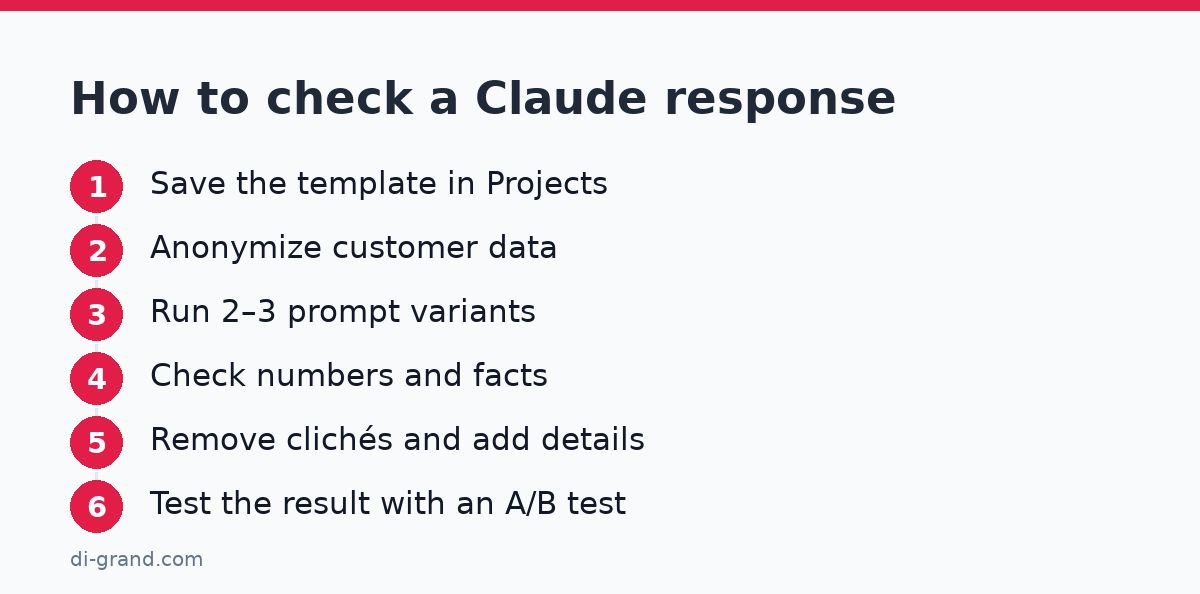
- Save the template. Put recurring prompts and the brand guide in Projects, and if needed create templates with variables in the Prompt Generator in Anthropic’s Console.
- Anonymize the data. Replace surnames, phone numbers, addresses and order numbers with placeholders such as [CLIENT_1].
- Run 2–3 variants. Change one thing: the role, the number of examples or the format, and compare the responses.
- Check the facts. Verify prices, dates, figures and competitor names against the original source.
- Remove clichés. Cut bureaucratic phrasing and unnecessary adjectives, and add your own details.
- Test on your audience. For email subject lines and ads, run an A/B test and feed the winning variant back into the template as an example.
Don’t paste raw customer data from your CRM, passwords or contract terms that must stay inside the company into the chat. Check the privacy settings of your plan and your company’s internal rules, and consult a lawyer if needed.
If you want these templates to work automatically, for example to answer customers on your site or write product descriptions, you can do it through the API. The details are in the article on integrating the Claude API with WordPress. If you’re torn between tools, see the comparison of Claude and ChatGPT for business. The DiGrand team helps implement AI features on websites and in online stores, so you can book a consultation if you need one.
Start with three templates that cover your biggest routine: for example, No. 6 for newsletters, No. 7 for cold emails and No. 13 for support. Over the course of a week, plug in real data, note the typical mistakes and add the fixes straight into the prompt. Then move the working versions into Projects.
FAQ
Does Claude understand Ukrainian, and do I need to write prompts in English?
Claude works with Ukrainian, so you can write prompts and data in it. English is only needed if the texts you work with are in English. If nuances of tone matter, add 3–5 examples of your brand's Ukrainian texts.
How do Claude prompts differ from ChatGPT prompts?
The core principles are the same: context, a clear task and a format. Claude works well with the XML-tag structure Anthropic recommends and with long documents placed at the start of the prompt. Compare the results on your own tasks rather than relying on general impressions.
How do I get Claude to write in my brand's tone of voice?
Give it 3–5 of your best texts in example tags and describe the rules: the form of address, banned words, sentence length. Save this in Projects so the instructions apply in all chats within the project. After a few responses, refine the rules based on the mistakes.
Is it safe to paste customer data into Claude?
Minimize the risks: replace surnames, phone numbers and addresses with placeholders and don't send anything unnecessary. Check the privacy terms of your plan and your company's rules. For sensitive scenarios, agree the process with a lawyer.
Can these prompts be automated?
Yes, templates with variables can be called through the Claude API: for example, for chat replies on a website or for generating product descriptions. This requires building an integration and checking responses before they are shown to a customer. For small volumes, Projects is usually enough.
Leave a Reply