

Safe use of AI at work rests on three things: employees know what data must never go into a chat, they work only with vetted tools on the right plan with the right settings, and the rules are written into a policy and your NDAs. Below are seven steps, each with a check, a list of banned data, privacy settings for ChatGPT and Claude, a ready-made one-page policy and a checklist for your team.
These rules are not paranoia. In 2023, Samsung restricted employees’ use of generative AI after engineers uploaded internal source code to ChatGPT. The same thing can happen in any team where someone just wanted to draft a customer reply faster.
Key takeaways
- Split your data into three tiers and ban personal data, access keys and NDA-protected material from personal AI accounts.
- Use work accounts on business plans: under OpenAI's policy their data is not used for training by default, while on free and personal plans you need to check the toggle.
- Anonymize data before you prompt: replace names, phone numbers and amounts with placeholders, and keep the mapping table inside the company.
- Add separate AI clauses to your NDAs and contractor agreements, and put one page of rules, a responsible person and an incident plan into your policy.
Contents
What data you should never enter into AI services
In its tips for using AI safely at work, Microsoft advises not sharing confidential information, work or personal, with chatbots and following company policies (official Microsoft tips). For the rule to work, it has to be specific. The simplest approach is to split data into three tiers.

| Tier | Examples | Where it can be processed |
|---|---|---|
| Red — prohibited | Full names with a phone number, email or address of customers and employees; tax IDs, passport details; health data; payment details; passwords, API keys, tokens; customer code and documents under NDA; financial models and contracts with pricing; unreleased products | Do not enter into any external AI service. The exception is a separately approved arrangement with a contract and IT security sign-off (a corporate plan, API, local model) |
| Yellow — restricted | Internal processes, procedures, anonymized CRM exports, draft commercial proposals, your own code without secrets | Only in work accounts on business plans or after anonymization |
| Green — allowed | Public texts, published product descriptions, general questions, ideas, article outlines | Any approved tool |
Personal data in Ukraine is governed by the Law of Ukraine “On Personal Data Protection” No. 2297-VI (the text of the law on the Verkhovna Rada website). Its requirements include the data subject’s consent, a defined purpose of processing and protection against unauthorized access. So “pasting the customer database into a chat to segment it quickly” is not a minor thing: it is new processing with a new recipient of the data. The law also contains separate rules on transferring data abroad, and most AI services process requests on servers outside Ukraine, so this is worth discussing with a lawyer.
If you work with customers from the EU, remember GDPR: it applies to the data of EU residents even outside the Union. The maximum fine for violations is up to 20 million euros or 4% of global turnover. For most small companies the real risk is lower, but this does not remove contract requirements or customer trust concerns.
Trade secrets are a separate matter: if information under NDA ends up in an external service, it could formally be considered “disclosed to a third party.” We cover how to handle this in contracts below.
Safe use of AI at work: 7 steps with checks
The steps go in order: first rules and tools, then settings and training. After each one you will find what to check and the mistake that comes up most often.
-
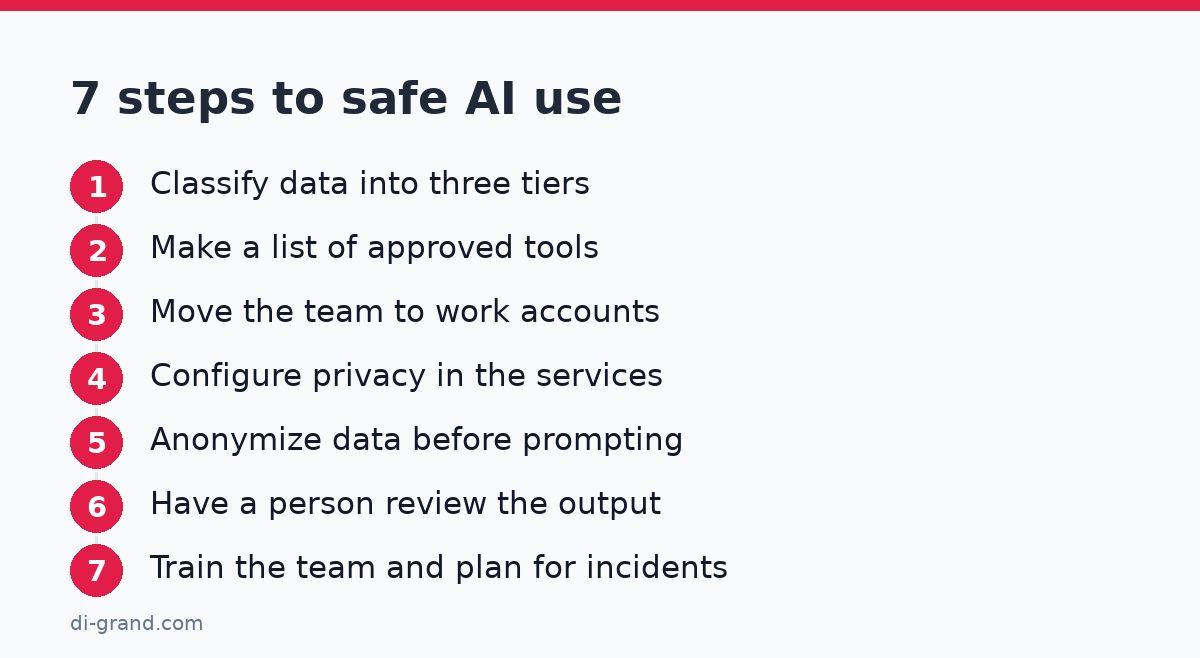
Classify your data. Take the table above and add examples from your own processes: what counts as “red” for sales, support, development and accounting.
Check: each department can identify the tier of a typical document in 10 seconds. Common mistake: assuming a name without a phone number is not personal data. A name together with a city, an order date or a job title often identifies a person.
-
Make a list of approved tools and plans. For each, specify what can be entered (data tier), which plan is paid for and who the administrator is. A comparison of Claude and ChatGPT for business can help you choose between services.
Check: everything people actually use is on the list. Common mistake: approving a “service” in general without naming the plan: free and business plans have different terms for data.
-
Move the team to work accounts. Work email, two-factor authentication, separate roles. Where possible, use SSO and user management through the business plan’s admin panel. This is the main defense against shadow AI, where employees secretly use personal accounts.
Check: the user list in the admin panel matches the staff list, and former employees have lost access. Common mistake: banning AI with no alternative. People will still use it, just out of sight.
-
Configure privacy. Turn off the use of chats for improving models where possible, and check memory and public chat links. Details for ChatGPT and Claude are in the next section.
Check: take a screenshot of the settings in each account and keep it in the policy folder. Common mistake: configuring once and never rechecking after interface updates.
-
Anonymize data before you prompt. Replace names, contacts, amounts and company names with placeholders (examples and a prompt below). Never enter secrets and keys at all.
Check: reread the prompt as an outsider would: can you tell who and which company it is about? Common mistake: removing the name but leaving unique details that identify the customer.
-
Have a person review the output (human-in-the-loop). AI can invent facts, figures and links (hallucinations). In addition, text from external sources that you pass to the model may contain hidden instructions: this is prompt injection, and it appears in the OWASP Top 10 for LLM applications. Give connected tools minimal permissions. There is more on this in the article on connecting Claude to Google Drive and Slack via MCP.
Check: everything that goes to a customer or onto the website is reviewed by a responsible person. Common mistake: copying an AI answer into a contract, correspondence or code without reading it.
-
Train the team and prepare an incident plan. Run 30–40 minutes of practice: what is allowed, what is not, how to anonymize. Describe what to do after a leak: who gets notified, how to revoke keys and access, when to bring in a lawyer. In Ukraine, compliance with personal data legislation is supervised by the Verkhovna Rada Commissioner for Human Rights, so confirm incident notification obligations with a lawyer.
Check: every employee knows who to go to if they pasted something by mistake. Common mistake: punishing people for confessing, which makes them hide incidents.
If a password or API key ended up in a chat, deleting the chat does not solve the problem. Reissue the key and change the password right away, and only then deal with the history.
Privacy settings in ChatGPT and Claude
The main rule: data terms depend on the plan. The names of toggles and sections change, so check them against the service’s current help pages and record the date of the check in your policy.
ChatGPT
In personal accounts, open Settings → Data controls and turn off the option that lets your chats be used to improve the model (usually called “Improve the model for everyone”). For one-off sensitive requests there is Temporary Chat. Also review the Memory section: in a work account the model should not store customer details, and check the list of shared chat links if you have shared conversations.
According to OpenAI, business plans (ChatGPT Team and Enterprise) and the API do not use business data to train models by default, while on free and personal plans data may be used unless you turn off the relevant setting. The terms are set out on the Enterprise privacy at OpenAI page.
Claude
In Claude.ai, open Settings → Privacy and review the toggle that lets your conversations be used to improve models. For personal accounts it is worth turning off unless you are sure there will be no work data in your chats. The terms for team and enterprise plans and the API (Anthropic’s commercial terms) differ from those for consumer plans, so before entering work data, reread the current privacy policy and commercial terms, and check roles and access in the admin panel. If your team works with shared materials, pay attention to who has access to projects: this is covered in the article on Claude Projects and Artifacts for teams.
How a free plan differs from a business plan
| Parameter | Free / personal | Team / Enterprise | API |
|---|---|---|---|
| Training on your data by default | Depends on the settings toggle and the service’s terms | Under OpenAI’s terms for business plans, no; with Anthropic, check the commercial terms | Under OpenAI’s terms, no; check each provider’s terms |
| User management | Everyone configures their own | Admin panel, roles, usually SSO (depends on the plan) | Control through your integration and keys |
| For yellow-tier data | Only after anonymization | Yes, per company policy | Yes, if keys and logs are under your control |
A business plan does not make red data automatically safe. For customers’ personal data you still need a legal basis, a purpose of processing and a contract with the service, so agree this with a lawyer before launch.
How to anonymize data before a prompt: template and examples
Anonymization means replacing identifying details with placeholders so the AI can solve the task without knowing who it is about. Strictly speaking, if you keep a mapping table, this is pseudonymization: the person can be re-identified, so that table must stay inside the company.
| Original | Replace with |
|---|---|
| Ivan Petrenko, +380… | [CLIENT_1], [PHONE] |
| LLC “Name”, Dnipro | [COMPANY_A], [CITY] |
| Invoice for UAH 184,500 | An amount in the UAH 150,000–200,000 range |
| Access key, password, token | Do not share; in code examples use YOUR_API_KEY |
Here is a prompt for handling a customer complaint safely:
|
1 2 3 4 5 6 7 8 9 |
You are a support manager. Below is a customer complaint in which all personal data has been replaced with placeholders. Write a polite reply in English, 5-7 sentences. Do not invent facts or deadlines that are not in the text. If data is missing, mark it as [CLARIFY]. Complaint: [CLIENT_1] writes that order [ORDER_NUMBER] from [DATE] arrived damaged and asks for a refund. |
The employee then fills the finished reply with real data locally, in the CRM or email. The same rule applies to code: paste a minimal fragment without secrets and keep keys in environment variables. We compare coding assistants and their differences in repository access in Copilot, Cursor and Claude Code.
Rare combinations of details can identify a person even without a name: “the director of the only company in city N that changed suppliers last year.” Remove not just names but unique context too.
NDAs and contracts: what to add about AI
Whether AI use breaches a non-disclosure agreement depends on the wording. Most NDAs prohibit passing confidential information to third parties without consent. An external AI service that receives the text of a prompt can formally be treated as such a third party. So don’t rely on guesswork: check the agreement and, if necessary, agree an exception in writing.
What to add to NDAs and contracts with contractors and customers:
- a list of approved AI tools and plans, or a ban on entering customer materials into AI without written consent;
- terms on storing prompts and a ban on training models on customer materials;
- liability for subcontractors and services that process data on your behalf;
- the procedure and deadlines for incident notification;
- rights to the output: who owns text or code created with AI, and whether a check for matches is required.
For personal data, clarify the roles: the company is usually the controller and is responsible for the lawfulness of processing, while a service that processes data on its instructions is the processor. Who is responsible for a leak, the employee or the company, depends on contracts, internal documents and circumstances. But without a policy and training, it is much harder for a company to prove it took appropriate measures. Agree specific wording with a lawyer: this section is not legal advice.
Code that belongs to a customer is a special case. First review the contract and NDA: if they do not permit third-party services, use only approved tools and plan settings. For safe work with an agent that changes files, read the article about Claude Code.
One-page AI use policy
Copy the structure below, replace the brackets with your details and approve it by order or as an internal document. The policy should be short, otherwise nobody will read it.
- Purpose and scope. The policy applies to all employees and contractors who use generative AI for the work of [company name].
- Approved tools. [List of tools and plans]. Other services must be approved by [responsible person].
- Data classification. Red data (personal data, secrets, materials under NDA) is not entered into external AI services. Yellow only in work accounts or after anonymization. Green freely.
- Accounts and settings. Work accounts with 2FA only. Use of chats for model training is turned off where possible. Settings are reviewed once per [quarter].
- Reviewing results. Everything that goes to customers, the website or production is reviewed by a person. The author who published the material is responsible for its content.
- Customers and contracts. Before using AI with customer materials, we check the NDA and the contract; if needed, we obtain written consent.
- Incidents. Mistaken entry of prohibited data is reported to [responsible person] immediately. Coming forward is not punished unless violations were hidden. Keys are revoked immediately.
- Training and review. Briefing for new employees, policy review once per [6 months] and after changes to service terms.
Once the company has grown, you can layer frameworks on top of this foundation. The NIST AI Risk Management Framework describes AI risk management through four functions: Govern, Map, Measure, Manage. The NIST AI 600-1 profile for generative AI specifically mentions the risks of confidential data leaks and confabulation. The ISO/IEC 42001:2023 standard describes an AI management system for organizations. For companies working with the EU, the EU AI Act, which entered into force on August 1, 2024, requires AI literacy among staff in Article 4. Ukraine’s Ministry of Digital Transformation is developing a “bottom-up” approach: tools and business preparation first, then legislation, so your internal policy remains your main safeguard.
Checklist for your team
Print it out or pin it in the company chat. Before pasting text into AI, go through the list.
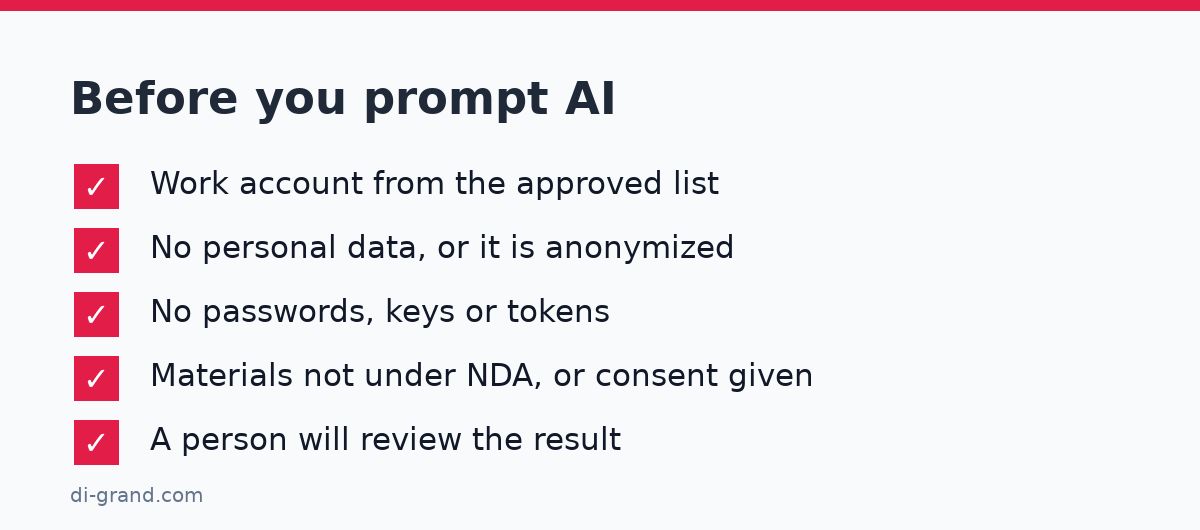
- I am using a work account from the approved list, not a personal one.
- The text contains no personal data of customers, employees or partners, or I have anonymized it.
- The prompt contains no passwords, keys, tokens, or access to admin panels and databases.
- The materials are not under NDA, or there is written consent to use them.
- I have checked that the use of chats for training is turned off, or I am on a business plan.
- Unique details that could identify a person or company have been removed.
- I will read and verify the output, especially figures, links, and legal and technical claims.
- If I entered something I shouldn’t have, I will immediately notify the responsible person and revoke the keys, if there were any.
A practical summary: start with two hours of work. Build a three-tier data table, approve the one-page policy, check the privacy settings in all work accounts and run a short training session. Add the rest, from DLP to corporate models, when you see real needs. If you want to bring AI to your website or processes in a way that keeps customer data under control, the DiGrand team can help: from setting up tools and a policy to chatbots and API integrations. You can book a consultation.
FAQ
Can I paste customers' personal data into ChatGPT?
Not into a free or personal account: that is new processing of data with a new recipient, without a defined purpose or basis. If such processing is genuinely needed, use a business plan or the API with an appropriate contract and a lawyer's advice. For most tasks, anonymizing the data with placeholders is enough.
Does using AI breach a non-disclosure agreement?
It depends on the wording of the NDA. If the agreement prohibits passing information to third parties, an external AI service may count as one. Check the contract and, if needed, get the customer's written consent for specific tools.
Does GDPR apply to a Ukrainian company that uses AI?
GDPR applies to the processing of EU residents' personal data even outside the Union. If your customers are in Europe, its requirements will also cover data you enter into an AI service. The maximum fine is up to 20 million euros or 4% of global turnover; consult a lawyer about your case.
How do I check whether a service trains on my prompts?
Open the account's privacy settings and look for the toggle about using conversations to improve models. Then read the current terms for your plan: business plans, for example at OpenAI, do not use data for training by default. Record the result of the check in your policy with the date.
What is shadow AI and how do I deal with it?
It is employees' use of AI services without the company's knowledge, most often through personal accounts. The fix is a clear policy, an approved list of tools, work accounts and training. Bans alone are not enough, because people will look for workarounds.
Who is responsible for a data leak through AI: the employee or the company?
It depends on the contracts, internal documents and circumstances of the incident. The company, as the controller of personal data, is usually responsible for protection, while the employee may face disciplinary action. A policy, training and signed acknowledgments help show that the company took appropriate measures.
Leave a Reply