

Article updated in November 2026.
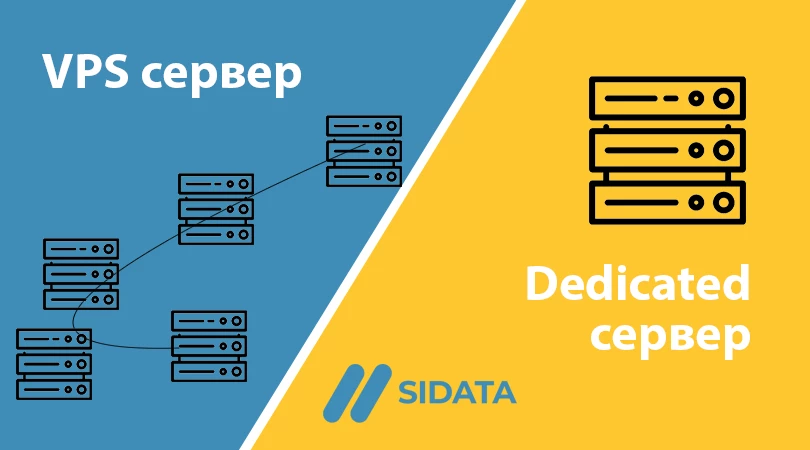
When you choose hosting for an online project, one of the main decisions is whether to rent a Virtual Private Server (VPS) or a dedicated server. The two options differ in cost, control, performance and how easily they grow with your project. Below we look at each one, compare them and suggest how to choose.
What Is a Dedicated Server?
A dedicated server (bare-metal server) is a physical machine that is leased to one customer only. It has the same components as a regular computer, but they are server-grade and much more powerful. These are a processor, RAM (usually with error correction, ECC), SSD, NVMe or HDD storage, and network ports. Many providers also add remote management (IPMI or similar) so you can reinstall the system or reboot the machine without visiting the data center.
Advantages of Dedicated Servers
- Full control: You control both the hardware configuration and the software. You can install any operating system, a custom kernel, your own virtualization layer or specialized tools, and tune the system for your workload.
- Predictable performance: All CPU, memory, disk and network resources belong to you, and no other customer competes with you for them. This matters for large databases, high-load stores, game servers, video processing and similar tasks.
- Isolation and security: Your data sits on hardware that is not shared with other tenants, which removes the risks of shared virtualization hosts. This helps with strict compliance requirements. Note that the provider still controls the physical environment, so sensitive data should be encrypted and access to management interfaces should be restricted.
Disadvantages of Dedicated Servers
- High cost: You pay for the whole machine whether you use all of it or not, and the price is usually well above a VPS.
- Harder scaling: To get more power you usually have to add or replace components or migrate to another machine, and that often means downtime. Delivery of a new configuration can also take time.
- Backups are your responsibility: Unless the provider offers a backup service, you have to set up backups yourself with tools such as Veeam, Restic or BorgBackup, and store copies off the server. That adds complexity and cost.
- Administration: Hardware failures (disks, power supply, memory) are possible. You need to monitor the server and understand the provider’s replacement terms, or use a managed service.
What Is a Virtual Private Server (VPS)?
A VPS (also called VDS in some markets) is an isolated virtual machine that runs on a powerful physical server together with other virtual machines. The host’s resources are divided between them. Each VPS has its own operating system, its own IP address and root access, so it behaves like a separate server, only without the dedicated hardware.
Types of VPS/VDS Virtualization
- OS-level (container) virtualization: Containers such as LXC or OpenVZ share the host’s kernel and isolate users at the operating system level. They are light and cheap, but you cannot change the kernel and isolation is weaker.
- Full virtualization: Technologies such as KVM and VMware emulate complete hardware for each guest, so each VPS runs its own kernel and almost any operating system. This is the most common type for modern VPS plans.
- Para-virtualization: The guest operating system is modified to cooperate with the hypervisor (as in Xen PV), which reduces overhead. In practice it is now mostly replaced by hardware-assisted virtualization with paravirtualized drivers (for example VirtIO).
A hypervisor is the software layer that allocates host resources between virtual machines. It is used in full and para-virtualization alike.
Advantages of Virtual Servers
- Cost-effectiveness: One physical server serves many customers, so a VPS is much cheaper than a dedicated machine. This suits startups, small sites and test environments.
- Flexibility and scalability: Resources can be increased within a few minutes through the control panel, and many providers allow this with little or no downtime, depending on the platform and resource type.
- Convenient backups: Snapshots and automatic backups are widely available, and a virtual machine is easy to clone or move to another host.
- Security: With full virtualization, isolation between machines is good enough for most business projects. Security still depends on your own settings: updates, firewall, SSH keys and the principle of least privilege.
Disadvantages of Virtual Servers
- Shared resources: If the host is overloaded or oversold, a “noisy neighbor” can reduce your performance. Look for plans with guaranteed CPU resources and a provider that does not oversell heavily.
- Less low-level control: You cannot choose the physical hardware or, with container virtualization, the kernel. Some specialized software and hardware features may be unavailable.
- Provider dependence: Limits on disk speed, network and CPU use depend on the plan and the host.
VPS vs Dedicated Server: Quick Comparison
| Criterion | VPS | Dedicated server |
|---|---|---|
| Cost | Lower, you pay for a share of resources | Higher, you pay for the whole machine |
| Performance | Good, but may depend on neighbors | Stable and fully yours |
| Scaling | Fast, usually from the control panel | Slower, often needs hardware changes or migration |
| Control | Full control inside the virtual machine | Full control down to the hardware |
| Isolation | Logical, via the hypervisor | Physical, single tenant |
| Backups | Snapshots are often available | You set them up yourself |
How to Choose
- Choose a dedicated server if you need maximum and stable performance, full control over hardware and software, strict isolation requirements, or very heavy workloads such as large databases or streaming.
- Choose a VPS if cost-effectiveness, fast scaling and easy backups matter more. This fits most websites, online stores, web applications and development environments.
It is also normal to start with a VPS and move to a dedicated server when the project outgrows it. Cloud servers are a further option: they work like a VPS but let you adjust resources and billing more flexibly. Before you decide, estimate your expected load, your budget, the backup and support terms, and how quickly you may need to grow.
How an AI Assistant Can Help
An AI assistant such as Claude can help you turn your project requirements (traffic, database size, software stack) into a list of questions to ask a hosting provider. It can also draft a server hardening checklist or a backup script, and review configuration files. Always test its suggestions in a staging environment and check the details against the official documentation of your provider and software.
Both options have their strengths, so evaluate your project’s real needs, growth plans and budget carefully before you make the decision.
Leave a Reply